Schedule any post in one click
The Schedulin browser extension lets you capture links, images, and videos from anywhere on the web and queue them to TikTok, Instagram, LinkedIn, X, YouTube, and more — without switching tabs or opening your dashboard.
Works in Chrome, Edge, Brave, Arc & Opera · Free forever
How it works
Install in one click
Add the extension from the Chrome Web Store. It lives in your toolbar and adds a right-click menu — no setup, no separate login.
Capture from anywhere
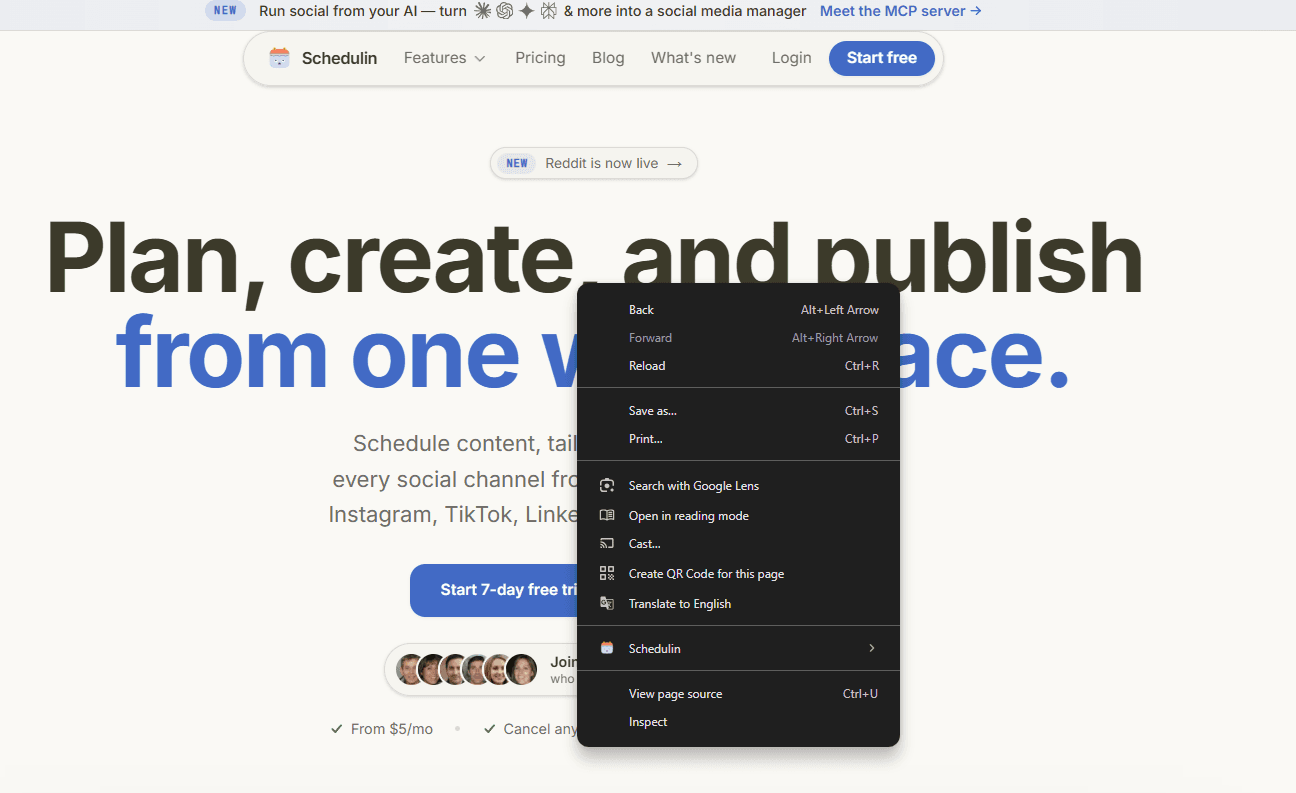
Found something worth sharing? Click the toolbar icon or right-click any page, image, or video to send it straight to Schedulin — without leaving the tab.
Compose and queue
Write your caption, pick which channels to post to, and drop it into your queue or schedule it for later. Your best time slots are filled automatically.
Everything you need to share on the fly
Works on every site
Blog posts, YouTube videos, product pages, tweets — grab the link, image, or clip from any page you're on.
Right-click to schedule
A context-menu shortcut on every page and image means sharing is one click, not a copy-paste dance between tabs.
Post to every channel
Queue to TikTok, Instagram, LinkedIn, X, YouTube, Facebook, Pinterest, Threads, Bluesky, Reddit, and more at once.
Your queue, your times
Captured posts drop into the same queue as the dashboard, so everything publishes on the schedule you already set.
Free to install
The extension is free with any Schedulin account. Nothing extra to buy, no separate plan.
Nothing to learn
It reuses your existing channels, tags, and queue. If you know Schedulin, you already know the extension.
Frequently asked questions
Is the Schedulin Chrome extension free?
Yes. The extension is free to install and included with every Schedulin account. You just need an account to send captured posts to your queue — plans start at $5/mo with a 7-day free trial.
What can I capture with the extension?
Links, images, and videos from any page on the web. Click the toolbar icon to grab the current page, or right-click an image or video to send it straight into a new post.
Which platforms can I schedule to from the extension?
All the channels Schedulin supports: TikTok, Instagram, LinkedIn, X, YouTube, Facebook, Pinterest, Threads, Bluesky, and Reddit. Pick one channel or several — the post drops into the same queue you use in the dashboard.
Which browsers does the extension support?
The extension is built for Chrome and works in any Chromium-based browser, including Microsoft Edge, Brave, Arc, and Opera. Install it from the Chrome Web Store.
Do I need to leave the page to schedule a post?
No — that's the point. The extension opens a compact composer right over the page you're on, so you can write your caption, choose channels, and queue the post without switching tabs or opening the dashboard.
Start scheduling from anywhere
Add the free extension and turn any page into a scheduled post in seconds.